Before You Edit: Turn Conflicting Client Notes Into Two Clear Lists
Before opening the timeline, sort client comments into two destinations: edits you can start for the current target, and questions needing an answer. An old cut, another export or an undecided direction can prevent an apparently simple request from being actionable.
Knowledge Skill Bank makes the free Revision Decision Desk used here. This fictional exercise also works in an ordinary document; no download is necessary. It is not client data or a customer result.
1. Name the exact target before sorting
Write V03 / landscape-main at the top. Keep each original request, source reference, requester role, source cut, variant and location alongside your proposed action and edit owner. Preserve the source wording.
Another landscape export remains a different variant. The same timestamp or aspect ratio does not establish that two notes concern the same shot.
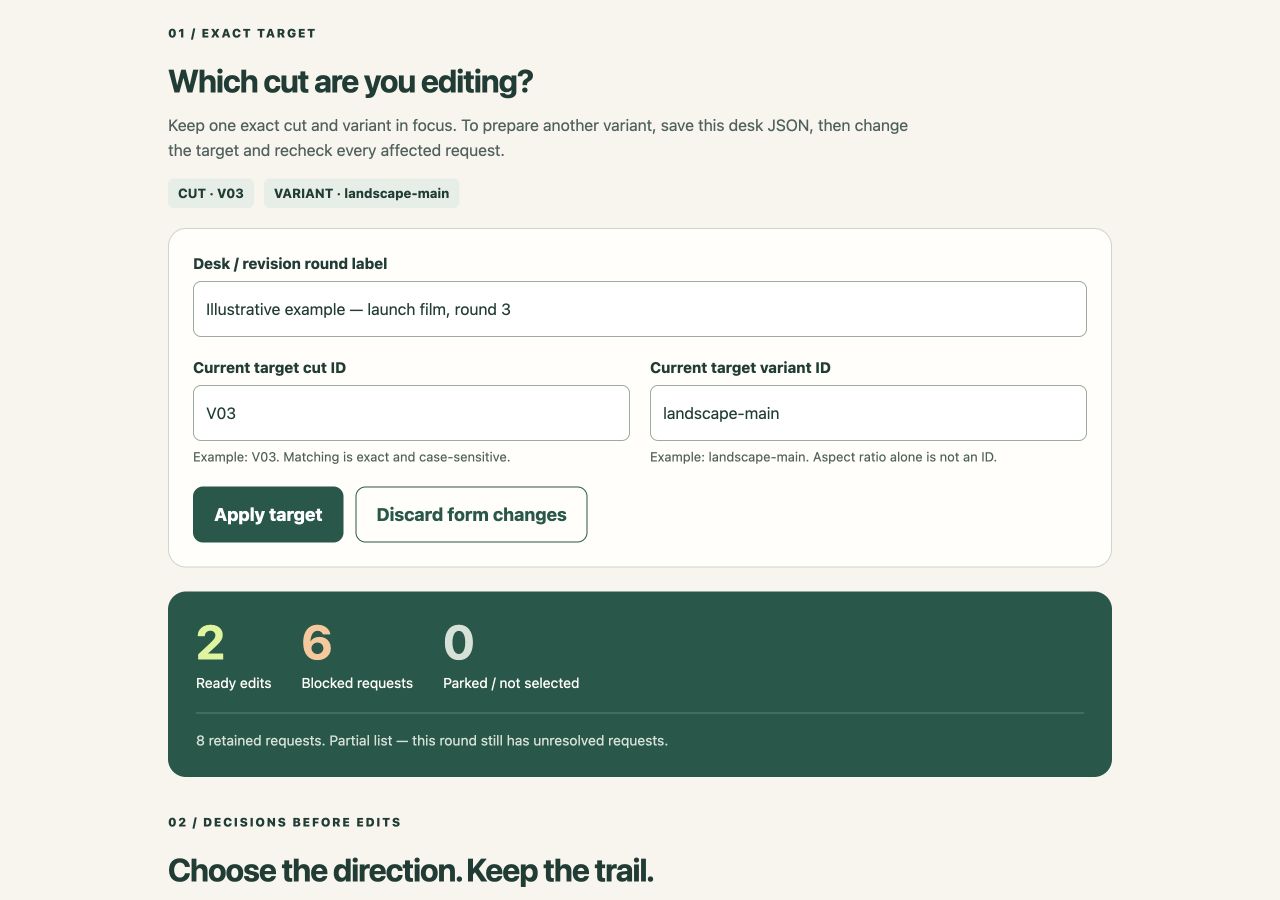
Actual Revision Decision Desk v0.1.0 with fictional notes. The two-ready, six-blocked summary is a planning result, not client approval.
2. Put only these two requests on the edit list
All eight requests have an Editor role assigned. These two pass the selected-target checks:
- R001: the Producer's email asks for lower music under the first spoken line at 00:12, V03 / landscape-main. The action includes checking speech remains clear.
- R008: the Brand reviewer's email requests the supplied spelling throughout this target. It uses Whole video: change “Daylite” to “Daylight” in on-screen text, then check the media.
The edit list contains R001 and R008. Ready means a recorded instruction, not an applied edit, checked export or final-film approval.
3. Turn the other six requests into specific questions
For each held request, record the missing information and next check:
- R002, missing location: “The product label looks wrong somewhere.” Ask the Brand reviewer for the moment and replacement wording. Do not choose Whole video merely to bypass a missing timestamp.
- R003, old cut: the Producer wants the logo moved away from the speaker at V02, 00:25. Find the corresponding shot in V03 yourself, then record the verified location, your role and the recheck reference. Do not silently reuse 00:25.
- R004 and R005, opposing directions: at V03 / landscape-main, 00:00, the Marketing lead asks to remove the opening pause; the Creative lead asks to hold it. Keep both under G001. Ask the decision owner for one chosen action and a reference recording it.
- R006, portrait variant: raising the headline at 00:12 concerns portrait-social. It is held for this landscape target.
- R007, alternate landscape: the alternate headline at 00:12 belongs to landscape-alt. Matching orientation does not make it a landscape-main instruction.
The result is two ready requests and six held requests. Other variants may need their own lists. Send these questions through your normal review channel with the original references.
4. Keep a decision attached to what was decided
Practice choosing R004: action “Remove the opening pause,” owner “Client decision owner,” reference “Illustrative email, round 3, item 1.” The Desk shows three ready, four blocked and one not selected. R005 remains in the digest.
Change R004's action: both conflicting directions return to held. In real work, use a genuine checked reference and reconfirm decisions affected by request, target or group changes.
Keep the two outputs separate
Use the edit list for this target and the digest for unresolved or unselected requests. Check the footage and follow the client's review process separately.
Open the free Desk and eight-note example
No email or purchase is required. Its downloadable HTML uses manual rules, not AI. It cannot inspect chat or video, detect conflicts automatically or send questions.
Deliberately copy/download the lists or save a desk JSON. There is no autosave: closing or refreshing loses unsaved work. Exports are unencrypted; store them appropriately. Browser/local-file support varies, and local processing is not a blanket confidentiality guarantee.
By Knowledge Skill Bank. Prepared with AI assistance and checked against the released v0.1.0 files. The tool's runtime is manual and non-AI; this fictional exercise does not demonstrate customer results.